

On this page
Review and resolve duplicates
Decide Golden duplicate cases in simple mode, work the expert list, understand separations and escalation, and undo a merge.
Duplicates presents candidate groups for comparison and review. Choose between two modes:
| Mode | For | Shows |
|---|---|---|
| Simple | Anyone deciding cases | One case at a time, three answers, from the clearest to the most doubtful |
| Expert | An administrator working at volume | Every group in any state, with filters and bulk actions |
ADMIN can switch between the two modes and enters Expert mode from the
Duplicates navigation link. STEWARD and VIEWER use Simple mode; a VIEWER
can inspect cases but cannot decide them. Merge, disconnect, delete and
escalate require STEWARD or ADMIN.
Ignore/unignore and the escalated-only queue require ADMIN. Data grants also apply.
Complete a prepared non-production exercise and understand the approved stewardship policy before making a production decision. The Aurelia Utilities sample installs 245 candidate groups for exactly that purpose.
Simple mode
Simple mode is the workspace for STEWARD and VIEWER, and is also available
to ADMIN. It sorts the work from the clearest case to the
most doubtful and offers three queues:
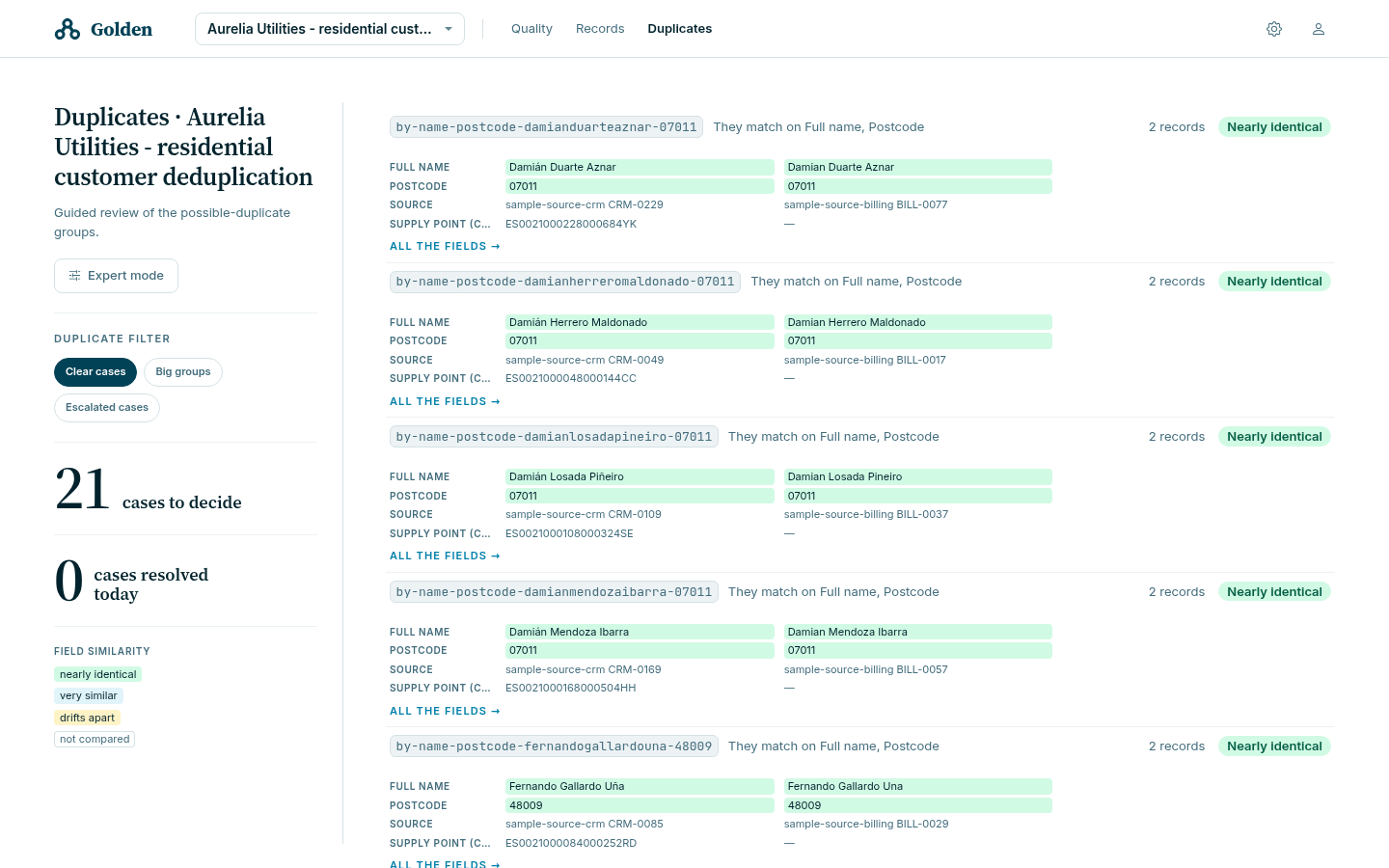
| Queue | Holds |
|---|---|
| Clear cases | Groups whose records are 95% alike or more and fewer than four at a time, from every index and whatever the classifier concluded |
| Big groups | Groups of four records or more still under review, biggest first |
| Escalated cases | Cases somebody passed to an expert |
The panel on the left counts cases to decide and cases resolved today, and carries the field-similarity legend used in the list: nearly identical, very similar, drifts apart, not compared.
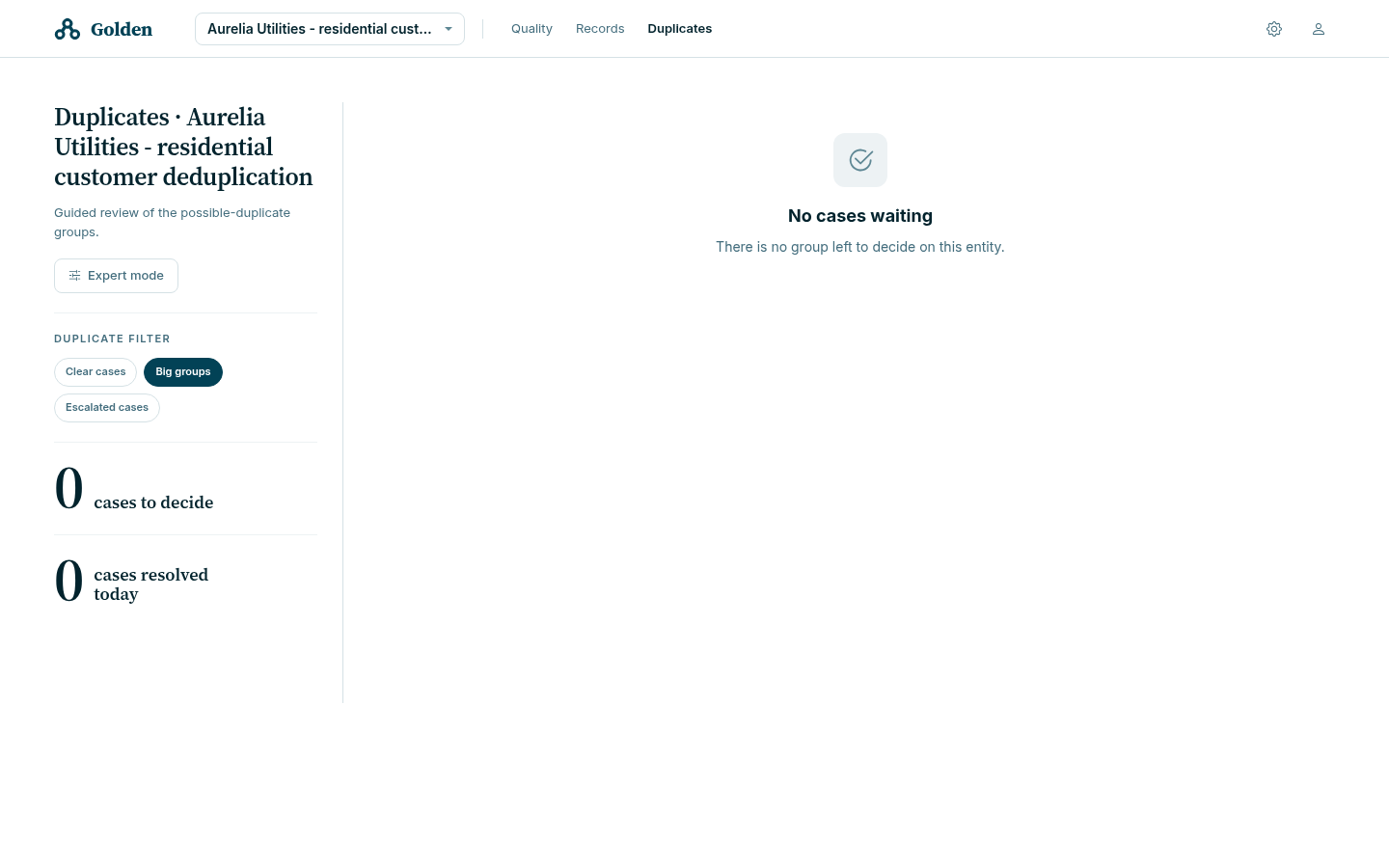
An empty queue displays No cases waiting.
Decide a case
Opening a case asks one question — Are these N records the same thing? — and highlights what differs between the records. Three views are available: See what differs, See what coincides, and Show every field.
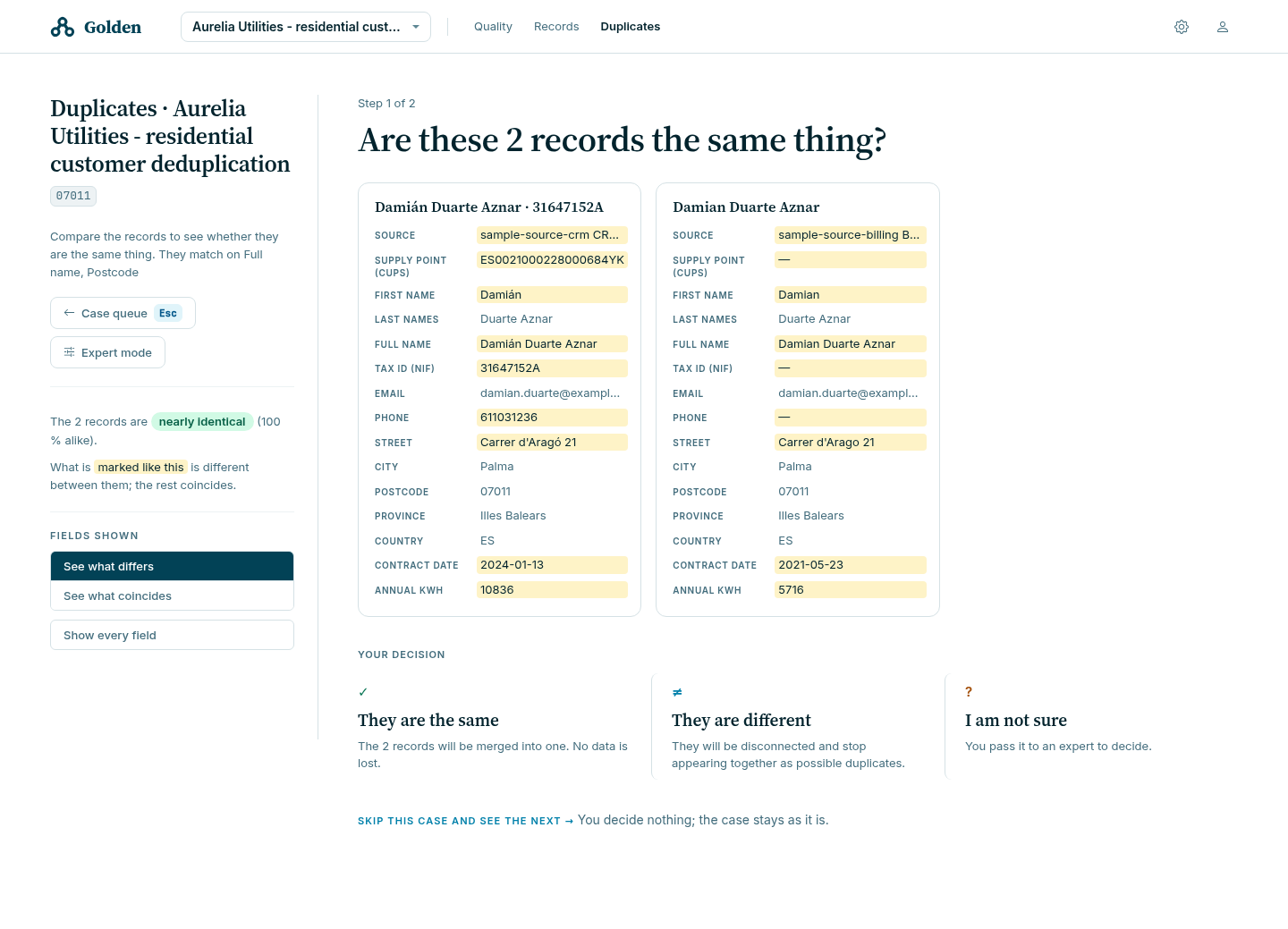
The three answers map onto three product operations:
| Answer | Operation | What Golden tells you |
|---|---|---|
| They are the same | Merge | Creates one mastered result; recoverability depends on retained history |
| They are different | Disconnect | Records a separation; preserves the records and may leave them visible in candidate groups |
| I am not sure | Escalate | “The case leaves your list and joins the expert review queue.” |
Skip this case and see the next decides nothing and leaves the case as it is. Use it rather than guessing.
Every decision accepts an optional comment, stored with the case. On an escalation the prompt asks specifically what makes you doubt — “for example: the phones do not match” — so the next reviewer can understand the unresolved evidence.
Review the merge preview
The confirmation names the record that will remain, marks the values that accumulate and the ones transformed by the merge rules, and states what is kept.
On a table without history, a merge cannot be undone and a later full load can reintroduce absorbed source records. Check the table’s history setting and the confirmation before applying the merge.
In the sample, sample_customer keeps history; the three catalog tables do
not.
Override an existing separation
When a group holds two records a person previously disconnected, Golden refuses the plain merge:
The records A and B were recorded as different, so they cannot be merged
together. To merge them anyway, cross the separation explicitly and give a
reason.
The case then offers Merge anyway and revoke the separation, and the comment stops being optional: “Say why. It is the only record of why someone else’s judgment was reversed.”
Review the earlier separation before overriding it. Record the evidence and reason for reversing that decision in the required comment.
Expert mode
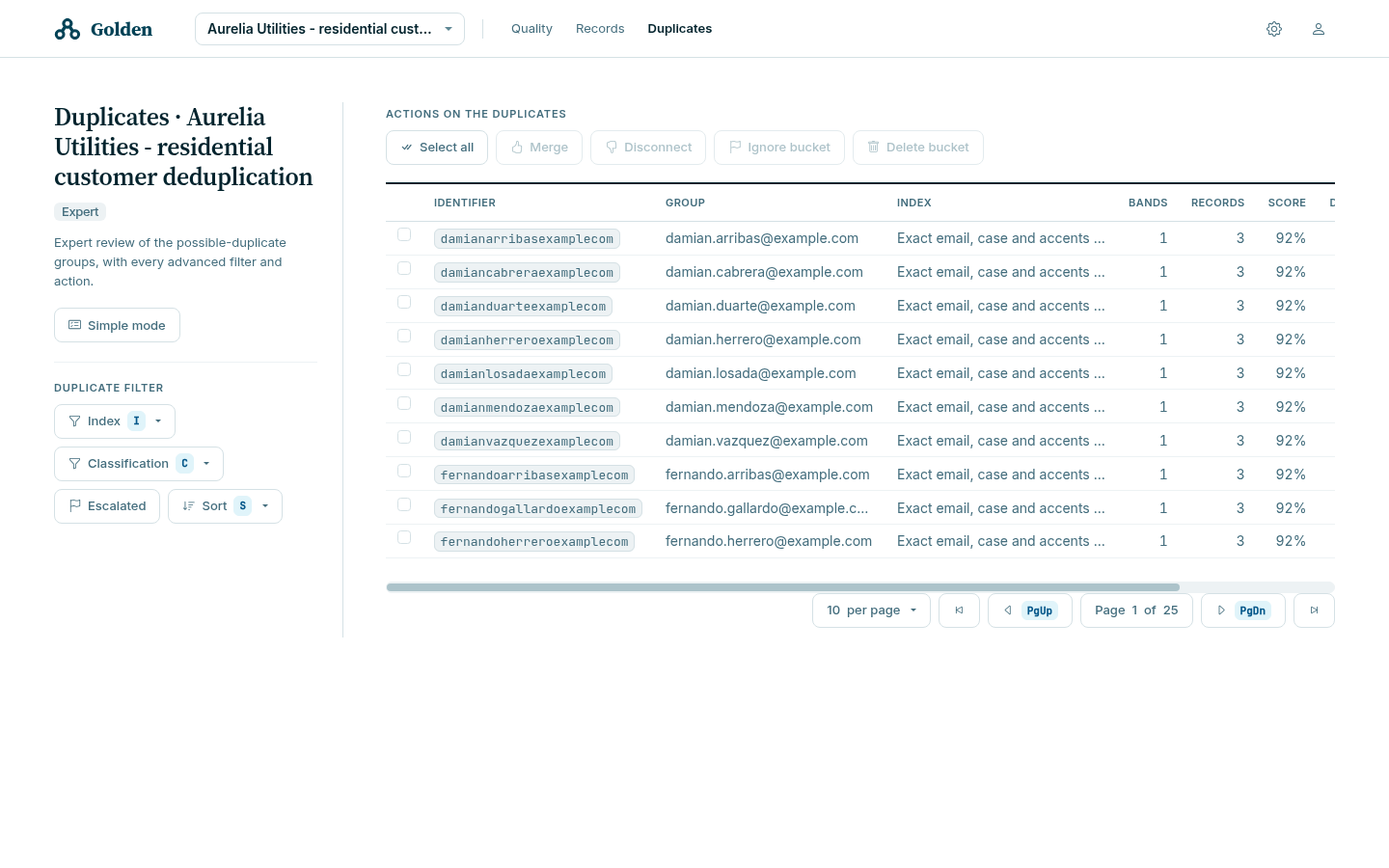
Expert mode lists every duplicate group of the data set, in any state, with filtering and bulk actions.
Filters
| Filter | Shortcut | Narrows by |
|---|---|---|
| Index | I | The indexer mapping that found the group |
| Classification | C | MATCH, NON_MATCH, REVIEW, or IGNORE |
| Escalated | — | Groups passed to an expert |
| Sort | S | Records or score, ascending or descending |
An index name is configuration, not a confidence level. In the sample,
by-tax-id finds 84 groups, by-email 76 and by-name-postcode 85; a fourth
index, by-phone, finds none at all, because the two systems write the same
number three different ways.
Actions
| Action | Effect to evaluate |
|---|---|
| Merge | The records represent one subject and form a mastered result |
| Disconnect | Records the pairwise separation so a later merge must explicitly override it |
| Ignore bucket | Removes the group from active classification until restored |
| Delete bucket | Removes records according to the confirmation and the approved retention policy |
Deciding part of a group
Expert mode resolves a group in two steps. Golden shows the sub-groups the classifier sees; select records and preview the result before applying the merge. Only selected records are absorbed. Unselected records remain, and relevant separations are preserved on the survivor.
This is the tool for a group the indexer over-collected: three copies of one person and one unrelated record that shares a postcode.
Undo a merge
A record produced by a merge carries an Undo merge action.
“This record was produced by a merge. Undoing it brings the records it absorbed back into the table and deletes this one, which is kept in history.”
Undo has these effects:
- The absorbed records are restored as they were before the merge, plus any separation recorded against the merged record while it existed.
- Anything else edited on the merged record since then is not carried over. It stays readable in history.
Golden refuses the undo, with the reason, when:
| Refusal | Meaning |
|---|---|
| The entity does not keep history | The absorbed records were never archived. There is nothing to restore |
| The record is not the result of a merge | There is no merge to undo |
| The record was itself merged into another | Undo that merge first, then this one |
| A source record is no longer in history | The merge that produced this record cannot be undone |
The equivalent API operation is POST /api/golden/{entity}/merge/undo. See
Automate duplicate decisions.
Verify the outcome
| Decision | Verification |
|---|---|
| Merge | The case leaves the queue; the surviving record holds the expected values and the absorbed records are in history |
| Disconnect | The records remain distinct and _metadata._unrelated records the intended pairs |
| Escalate | The case appears under Escalated cases and leaves your own queue |
| Ignore | The group appears under the ignored classification and not in active review |
| Delete bucket | The intended records are absent and approved audit or history evidence is retained |
Some results involve asynchronous work. A STEWARD does not have access to the
Tasks section; when task verification is required, use the agreed
administrator handoff rather than treating the success notification as terminal
evidence.
Stop and escalate
Stop related decisions when the result is unexpected, the page times out after submission, the candidate changed during review, or recovery is unclear. Do not repeat the action until an administrator has checked current records and any task state.
Preserve the base URL, entity, index, candidate and record identifiers, action, comment, time, and displayed message. Follow the customer-approved Trazadera support route without including access tokens or unnecessary record contents.